✨ Accelerate Program✨
➡️ Join Accelerate: https://www.skool.com/accelerate-by-zinny-studio
➡️ Get the full 3D Documentary Starter Checklist: https://www.zinnystudio.com/freebies
➡️ Link to GPT and Tutorial Document: http://bit.ly/4h7fEWI
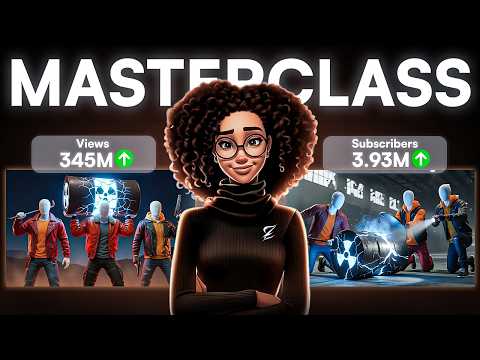
Want to build a Netflix-style 3D documentary channel without a team or a massive budget? In this step-by-step masterclass, I’ll show you exactly how to launch your own AI-powered faceless YouTube channel that looks cinematic, sounds professional, and can earn you income in 2025 and beyond.
You’ll learn how to pick the most profitable documentary niche such as true crime, history, or conspiracy, write cinematic scripts using my custom 3D Documentary GPT, create realistic voiceovers with ElevenLabs, generate 3D visuals and animations using OpenArt and Kling AI, edit everything professionally inside CapCut, and design high-CTR thumbnails inspired by top channels like Fern and Cipher.
✨ Tools MENTIONED IN THIS VIDEO✨
➡️ ElevenLabs: https://bit.ly/3RVEApb
➡️ OpenArt : http://openart.ai/home/?ref=zinny
➡️ CapCut Editor: https://www.capcut.com/
➡️ Canva: https://www.canva.com/
➡️ Get our 30-day trial of vidIQ for only $1: https://vidiq.com/thezinnystudio
✨Videos to Watch Next✨
➡️How Much Youtube Paid Me:https://www.youtube.com/watch?v=qEAzfynLbqs
➡️ How To Start a Faceless Youtube Channel With AI (Full Course): https://youtu.be/m61Ww273U18
➡️Create AI Talking Avatar:https://www.youtube.com/watch?v=4nYMU-V6avY&list=PLgJT3CexzMMLr6fVgNBaAhS0nTDT4tAQJ&index=1
➡️How To Create Faceless AI Animation Videos (FULL COURSE) : https://www.youtube.com/watch?v=L5EEA9lJZc0
✨ Important Links✨
➡️ For business inquiries:
[email protected]
✨Follow me✨
➡️Instagram: https://www.instagram.com/zinnystudio/
➡️Tiktok:https://www.tiktok.com/@zinnystudio
I am affiliates for some of the brands mentioned on the channel. I earn from qualifying purchases. I only recommend products I actually use, love, and think you would benefit from. These affiliate links allow me to continue to post free content on YouTube.
Thank you for watching! If you have any questions please feel free to reach out or leave a comment in the comment section.
✨Disclaimer✨
Note that I am not a financial or career advisor. The content on this channel is for learning purposes only. My results are due to hard work, dedication, and in-depth research, and your results may vary. Information in my videos is accurate as of the recording date, but its accuracy cannot be guaranteed at a later time.
#FacelessYouTubeChannel #AIDocumentary #3DAnimation #3ddocumentary #AItools #ZinnyStudio #YouTubeAutomation #OpenArt #KlingAI #ElevenLabs #FacelessChannel2025
? TIMESTAMPS:
00:00 – Intro: The 3D Documentary Revolution
02:14 – Step 1: Choosing Your Documentary Niche
03:37– Step 2: Crafting Titles and Thumbnails That Click
06:25 – Step 3: Scriptwriting with AI (3D Documentary GPT)
08:32 – Step 4: Creating Your Voiceover with ElevenLabs
10:09 – Step 5: Generating 3D Visuals with OpenArt + Kling
12:31 – Step 6: Editing Your Documentary in CapCut
13:37 – Step 7: Designing Thumbnails that Convert
14:56 – Common Mistakes to Avoid
15:27 – Recap & Next Steps