a2ztube Youtube Guide banner
a2ztube Youtube Guide avatar
a2ztube Youtube Guide
@a2zguide
Subscribers44K
Views12.2M
Videos360
a2ztube Youtube GuidePublished at April 9, 2026 at 11:30 AM0:55
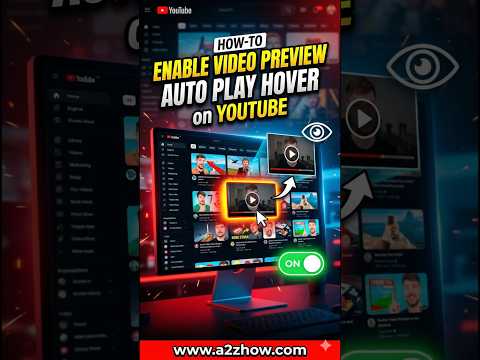
How Do I Turn on Video Previews on the Youtube App? thumbnail

How Do I Turn on Video Previews on the Youtube App?

2 months agoLong-tail
how do i turn on youtube video previewshow can i see video snippets while scrollingwhy are my youtube thumbnails not movingwhere is the playback in feeds settinghelp me enable video previews on youtubeshorts
Published time
April 9, 2026 at 11:30 AM
Duration
0:55
Video type
Science & Technology
Channel region
India
Publish Timing Insight
Not enough timing data
This channel still lacks enough historical upload timing data. Let the channel accumulate more snapshots before evaluating the best timing.
Monetization Insight
No clear monetization tags yet
Focus on view growth, engagement quality, and topic competition to judge monetization potential.
Action Suggestion
Watch for sustained growth
The basic conditions are already in place. Keep watching 7-day views and revenue before deciding whether this topic should become a series.
Views
443
Likes
3
Comments
2
Estimated Daily Revenue
-
Estimated Total Revenue
$0.01 - $0.03
RPM Range
$0.02 - $0.06
1D Views Gain
0
7D Views Gain
0
1D Likes Gain
0
7D Likes Gain
0
1D Comments Gain
0
7D Comments Gain
0
Velocity Score
0%
Topic Cluster
how do i turn on youtube video previews
Video Description
To enable video previews on YouTube, also known as playback in feeds, open the YouTube app and tap on your profile picture. Navigate to Settings and select General. From there, tap on Playback in feeds and choose Always on or Wi-Fi only. This setting allows videos to play silently as you scroll through your Home or Subscription feeds, giving you a quick look at the content before you decide to click and watch the full video. The process follows a simple instructional flow for both mobile and desktop users. On mobile devices, ensuring your app is updated to the latest version is the first step before accessing the General settings menu. For desktop users, this feature is often called Inline Playback and can be found under Settings and then Playback and performance. Turning this feature on significantly improves your browsing experience by helping you identify relevant content faster through visual snippets. Many users frequently ask how can I see video previews on my phone or why are my YouTube videos not playing while I scroll. If you find that previews are only working when you are at home, you likely have the Wi-Fi only option selected. To use previews on the go, you must switch the setting to Always on in the Playback in feeds menu. This guide ensures that whether you are using an Android device, an iPhone, or a computer, you have full control over your feed settings. This channel provides high-authority digital literacy tutorials designed to help you master platform interfaces and hidden settings. We specialize in providing verified, up-to-date technical instructions for everyday digital tasks. Our goal is to ensure that users of all skill levels can customize their viewing experience for maximum efficiency and ease of use. Do you prefer having video previews play automatically, or do you find them distracting while you are trying to read titles? Let us know in the comments how you have your feed set up. If you want to learn more about saving data while using these features, check out our video on YouTube data saver settings. Please consider subscribing for more clear tech solutions #youtubetips #videopreviews #howtouseyoutube #inlineplayback #youtubebasics

Related Topics
Continue with closely related videos to judge topic depth and content format.
Topic: how do i turn on youtube video previews
Not enough related-topic video data yet.
Video FAQs

These FAQs clarify what this video page measures, why revenue is estimated, and how to use the page for content research.

What can you learn from this video analytics page?

This page shows views, likes, comments, RPM and revenue estimates, publish timing, topic tags, related videos, and the broader channel context behind the video.

Why are RPM and revenue numbers estimates?

Actual earnings depend on monetized playbacks, audience geography, seasonality, advertiser demand, and monetization status. CloutOrbit provides directional estimates for benchmarking, not exact payouts.

How should you use this page for content research?

Compare timing, topic tags, monetization signals, and adjacent videos from the same channel to spot formats, themes, and publishing patterns worth testing.