Google for Developers banner
Google for Developers avatar
Google for Developers
@googledevelopers
Subscribers2.6M
Views334.5M
Videos6.4K
Google for DevelopersPublished at April 17, 2026 at 12:00 AM9:12
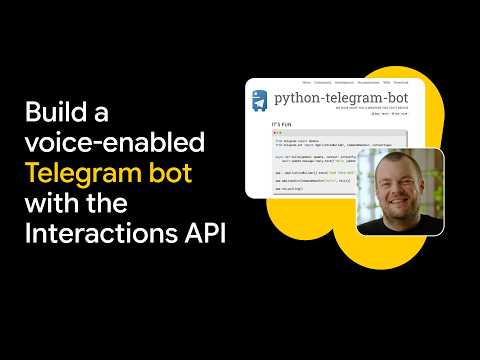
Build a Voice-Enabled Telegram Bot with the Gemini Interactions API thumbnail

Build a Voice-Enabled Telegram Bot with the Gemini Interactions API

last monthLong-tail
Googledeveloperspr_pr: AI DevRel (fka Core ML);Purpose: Learn;Video Type:DevByte;build voice enabled
Published time
April 17, 2026 at 12:00 AM
Duration
9:12
Video type
Science & Technology
Channel region
United States
Publish Timing Insight
Not enough timing data
This channel still lacks enough historical upload timing data. Let the channel accumulate more snapshots before evaluating the best timing.
Monetization Insight
High RPM
This video sits in a relatively high RPM range, suggesting a more monetization-friendly topic.
Action Suggestion
Watch for sustained growth
The basic conditions are already in place. Keep watching 7-day views and revenue before deciding whether this topic should become a series.
Views
5K
Likes
173
Comments
8
Estimated Daily Revenue
$0 - $0
Estimated Total Revenue
$4.79 - $27.92
RPM Range
$0.96 - $5.6
1D Views Gain
0
7D Views Gain
0
1D Likes Gain
0
7D Likes Gain
0
1D Comments Gain
0
7D Comments Gain
0
Velocity Score
0%
Topic Cluster
Google
Video Description
Thor from Google DeepMind walks through how to build a Telegram bot that receives voice messages, reasons over them with Gemini 3.1 Flash, and responds with generated speech in a custom accent, all built with Antigravity and deployed to Cloud Run without writing the code manually. What's covered: Setting up a Telegram bot with BotFather, using Gemini Flash for reasoning and Gemini TTS for voice responses, handling OGG audio from Telegram and converting output with FFmpeg, building agent, transcription, and translation modes, deploying to Google Cloud Run with Docker and Secret Manager, and using the Gemini Interactions API coding skill to accelerate the build. Grab your Gemini API key at Google AI Studio and your bot token from BotFather on Telegram to get started. Full code and tutorial linked below. Resources: Find the tutorial → https://goo.gle/4cdOpJa Find the code → https://goo.gle/3Q8prCo What are you building with Gemini? Drop it in the comments. Chapters 0:00 - Intro and Telegram voice bot demo 1:17 - Technical Setup and Prerequisites 1:48 - Deploying to Google Cloud Run 2:27 - AI-Assisted Coding with Antigravity 4:08 - Using Gemini 3.1 Flash Lite and TTS 4:51 - Bot Modes: Agent, Transcription, and Translation 6:32 - Voice Message Flow and Audio Conversion 8:31 - GitHub Repo and Next Steps Subscribe to Google for Developers → https://goo.gle/developers Speaker: Thor Schaeff Products Mentioned: Google AI, Gemini
Related Topics
Continue with closely related videos to judge topic depth and content format.
Topic: Google
Not enough related-topic video data yet.
Video FAQs

These FAQs clarify what this video page measures, why revenue is estimated, and how to use the page for content research.

What can you learn from this video analytics page?

This page shows views, likes, comments, RPM and revenue estimates, publish timing, topic tags, related videos, and the broader channel context behind the video.

Why are RPM and revenue numbers estimates?

Actual earnings depend on monetized playbacks, audience geography, seasonality, advertiser demand, and monetization status. CloutOrbit provides directional estimates for benchmarking, not exact payouts.

How should you use this page for content research?

Compare timing, topic tags, monetization signals, and adjacent videos from the same channel to spot formats, themes, and publishing patterns worth testing.