➡️ Sign up for Dzine AI: https://www.dzine.ai/?via=zinny
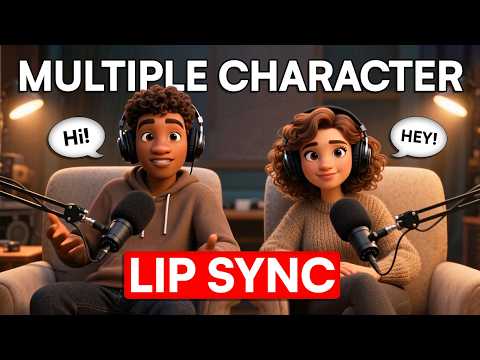
Want to animate multiple characters in one scene without spending hours editing? In this video, I’ll show you how to use Dzine AI’s new Multiple Character Lip Sync feature to create dynamic, talking character animations—fast. You’ll see how it automatically syncs voices, adds body movement, and even captures facial expressions… all from a static image.
Whether you’re making faceless YouTube videos, explainer animations, or storytelling content, this AI animation tool will save you time and take your videos to the next level. Perfect for beginners and pros who want cinematic-quality animation without expensive software.
✨ Accelerate Program✨
➡️ Join Accelerate: https://www.skool.com/accelerate-by-zinny-studio
✨ IMPORTANT LINKS✨
➡️ Get Access to my FREEBIES Library: https://www.zinnystudio.com/freebies
✨ MENTIONED IN THIS VIDEO✨
➡️ Dzine AI: https://www.dzine.ai/?via=zinny
➡️ Get our 30-day trial of vidIQ for only $1: https://vidiq.com/thezinnystudio
➡️Get your .store domain HERE: https://go.store/zinny0 (Coupon Code: ZINNY)
➡️With .store get FREE discounts here: https://elevate.store/zinnyfcp
✨Videos to Watch Next✨
➡️How Much Youtube Paid Me:https://www.youtube.com/watch?v=qEAzfynLbqs
➡️ How To Start a Faceless Youtube Channel With AI (Full Course): https://youtu.be/m61Ww273U18
➡️Create AI Talking Avatar:https://www.youtube.com/watch?v=4nYMU-V6avY&list=PLgJT3CexzMMLr6fVgNBaAhS0nTDT4tAQJ&index=1
➡️How To Create Faceless AI Animation Videos (FULL COURSE) : https://www.youtube.com/watch?v=L5EEA9lJZc0
✨ Important Links✨
➡️All Resource Links: https://www.zinnystudio.com/tools
➡️ For business inquiries:
[email protected]
✨Follow me✨
➡️Instagram: https://www.instagram.com/zinnystudio/
➡️Tiktok:https://www.tiktok.com/@zinnystudio
I am affiliates for some of the brands mentioned on the channel. I earn from qualifying purchases. I only recommend products I actually use, love, and think you would benefit from. These affiliate links allow me to continue to post free content on YouTube.
Thank you for watching! If you have any questions please feel free to reach out or leave a comment in the comment section.
✨Disclaimer✨
Note that I am not a financial or career advisor. The content on this channel is for learning purposes only. My results are due to hard work, dedication, and in-depth research, and your results may vary. Information in my videos is accurate as of the recording date, but its accuracy cannot be guaranteed at a later time.
#zinnystudio #aivideogenerator #dzineai #facelessyoutubechannel #aianimation #multiplecharacter #lipsync #FacelessYouTube #AnimationTutorial