Video Description
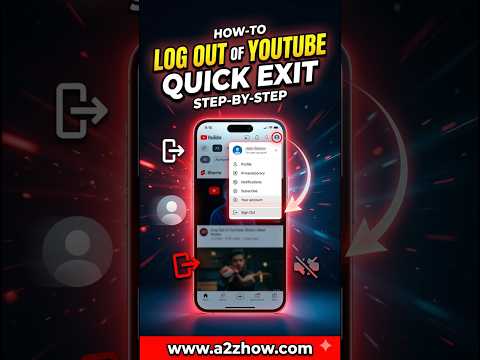
To log out of your YouTube account, click on your profile picture located in the top-right corner of the screen. From the dropdown menu that appears, select the Sign Out option. If you are using a mobile device, tap your profile icon, select your account name, and then choose Use YouTube signed out or Sign out of YouTube. This will immediately end your current session and protect your privacy on shared devices or public computers.
The process is straightforward for both desktop and mobile users. On a desktop browser, ensure the homepage is loaded, then navigate to your avatar. Clicking this opens a menu where Sign Out is usually located toward the bottom of the first section. On the mobile app for Android or iOS, the process involves tapping your profile picture, then selecting the account name, which reveals the account switcher where the sign-out toggle or option is found. Once selected, the page will refresh, and you will appear as an anonymous viewer.
You might also ask how can I log out of YouTube on a smart TV or how to sign out of all devices at once. For television apps, you typically navigate to the left-hand sidebar, select your account icon, and find the sign-out button at the bottom of the list. If you need to log out remotely, you can access your Google Account security settings to remove access from specific devices. This is helpful if you forget to sign out at a library or a friend's house and want to ensure your watch history remains private.
This channel provides verified and up-to-date technical support for everyday digital tasks. We focus on clear instructional value to ensure users of all skill levels can manage their accounts securely. By following our high-authority guides, you minimize technical confusion and stay in control of your digital footprint across all platforms. Our expertise ensures that even the most hidden settings are easy to find and navigate.
Do you find the sign-out button harder to find on the mobile app than on the desktop? If you are looking to secure your account further, check out our video on enabling two-factor authentication. Please consider subscribing for more quick tech solutions.
#howtologoutyoutube #youtubesignout #logoutyoutubeaccount #youtubetutorial