UnlockRiver banner
UnlockRiver avatar
UnlockRiver
@unlockriverhq
Subscribers1.6M
Views319.9M
Videos357
UnlockRiverPublished at April 18, 2025 at 06:58 PM2:02
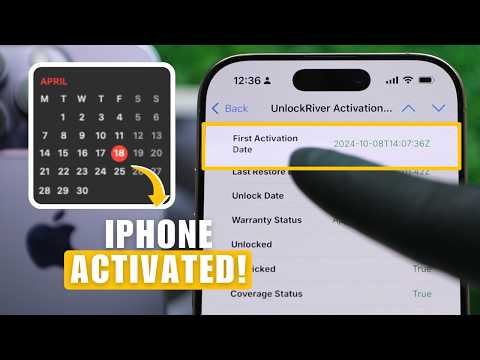
How to Check iPhone Activation Date with IMEI (iPhone 6 to iPhone 16) thumbnail

How to Check iPhone Activation Date with IMEI (iPhone 6 to iPhone 16)

last yearLong-tail
check iphone activation dateiphone activation datehow to check iphone activation dateiphone imei checkhow to check iphone imeitutorial
Published time
April 18, 2025 at 06:58 PM
Duration
2:02
Video type
Science & Technology
Channel region
Netherlands
Publish Timing Insight
Not enough timing data
This channel still lacks enough historical upload timing data. Let the channel accumulate more snapshots before evaluating the best timing.
Monetization Insight
High RPM
This video sits in a relatively high RPM range, suggesting a more monetization-friendly topic.
Action Suggestion
Watch for sustained growth
The basic conditions are already in place. Keep watching 7-day views and revenue before deciding whether this topic should become a series.
Views
3.9K
Likes
31
Comments
7
Estimated Daily Revenue
-
Estimated Total Revenue
$3.14 - $18.36
RPM Range
$0.81 - $4.73
1D Views Gain
0
7D Views Gain
0
1D Likes Gain
0
7D Likes Gain
0
1D Comments Gain
0
7D Comments Gain
0
Velocity Score
0%
Topic Cluster
check iphone activation date
Video Description
How to check iPhone Activation Date using just your IMEI number! In this quick tutorial, we show you how to check iPhone activation date accurately and easily, along with other important details like whether it's unlocked, iCloud locked, under warranty, or managed by a company. Perfect if you just bought a new iPhone, or want to verify if it’s refurbished, unlocked, or clean before using it. Follow along and learn how to get your full "Activation Day Check" report and discover the exact activation date of your iPhone. In this video, we'll show you: - How to find your iPhone's IMEI number - How to access UnlockRiver and run your "Activation Day Check" - How to read and understand your iPhone's full report 🔗 Useful links: 📌 Run Activation Day Check ➡️ https://unlockriver.com/imei-check 📌Activation Policy Check here ➡️ https://unlockriver.com/apple-check 📌 Unlock any Phone ➡️ https://unlockriver.com/ ✅ What you’ll get in this report: - First Activation Date - iCloud Lock Status - AppleCare & Warranty Info - Unlock & Carrier Lock Status - MDM Lock (Corporate Control Check) Works on all models including iPhone 16, iPhone 15, iPhone 14, iPhone 13, iPhone12, iPhone 11, iPhone x, iPhone 9, iPhone 8, iPhone 7 and older. Timestamps: 00:00 Intro - How to Check iPhone Activation Date with IMEI 00:09 Find Your iPhone IMEI Number 00:24 Access UnlockRiver Activation Day Check 01:12 How to Read Your Activation Report 01:40 What Information You Get in the Report 01:54 Final Tips and Outro #CheckiPhoneActivationDate #iPhoneIMEI #UnlockRiver #howto
Related Topics
Continue with closely related videos to judge topic depth and content format.
Topic: check iphone activation date
Not enough related-topic video data yet.
Video FAQs

These FAQs clarify what this video page measures, why revenue is estimated, and how to use the page for content research.

What can you learn from this video analytics page?

This page shows views, likes, comments, RPM and revenue estimates, publish timing, topic tags, related videos, and the broader channel context behind the video.


Why are RPM and revenue numbers estimates?

Actual earnings depend on monetized playbacks, audience geography, seasonality, advertiser demand, and monetization status. CloutOrbit provides directional estimates for benchmarking, not exact payouts.

How should you use this page for content research?

Compare timing, topic tags, monetization signals, and adjacent videos from the same channel to spot formats, themes, and publishing patterns worth testing.