Samsung Philippines banner
Samsung Philippines avatar
Samsung Philippines
@samsungphilippines
Subscribers529K
Views441.8M
Videos2.1K
Samsung PhilippinesPublished at May 30, 2026 at 12:00 PM2:01
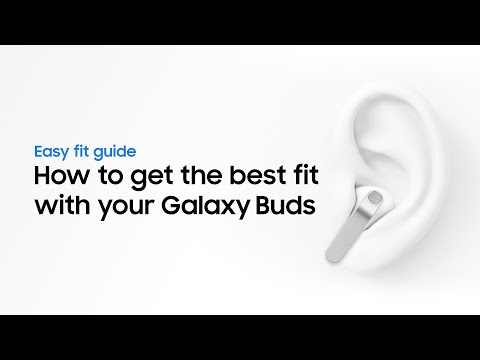
How to properly wear and adjust | Galaxy Buds4 Series | Samsung thumbnail

How to properly wear and adjust | Galaxy Buds4 Series | Samsung

7 days agoPeak window
ai earbudsbluetooth ear budsbuds 4 probuds4 featuresbuds4 how totutorial
Published time
May 30, 2026 at 12:00 PM
Duration
2:01
Video type
Science & Technology
Channel region
Philippines
Publish Timing Insight
Not enough timing data
This channel still lacks enough historical upload timing data. Let the channel accumulate more snapshots before evaluating the best timing.
Monetization Insight
No clear monetization tags yet
Focus on view growth, engagement quality, and topic competition to judge monetization potential.
Action Suggestion
Watch for sustained growth
The basic conditions are already in place. Keep watching 7-day views and revenue before deciding whether this topic should become a series.
Views
275
Likes
4
Comments
0
Estimated Daily Revenue
$0 - $0.02
Estimated Total Revenue
$0.12 - $0.72
RPM Range
$0.45 - $2.63
1D Views Gain
0
7D Views Gain
0
1D Likes Gain
0
7D Likes Gain
0
1D Comments Gain
0
7D Comments Gain
0
Velocity Score
0%
Topic Cluster
ai earbuds
Video Description
This is the official video guide to wearing your Galaxy Buds4 Series for the perfect fit and optimal sound quality. Whether you’re using Galaxy Buds4 or Galaxy Buds4 Pro, learn how to insert them correctly and get the most out of your audio. Discover the right blade angle for clear voice pickup and how to choose the best ear tip size (S, M, or L) for a secure, comfortable fit—even on the move. Learn more: http://smsng.co/Buds4Series_HowToBestFit_YT 00:00 Intro 00:18 Proper fit 01:01 Ear tip replacement 01:45 Outro Follow these steps to get the right fit with Galaxy Buds4 Series: Wearing the earbuds Step 1: Lift the earbuds straight up from the charging case. Step 2: Check the L/R marks and place them in the matching ear. Step 3: Point the blade toward your mouth and rotate slightly until snug. Step 4: Listen for the sound feedback to confirm they are in the right position. Replacing the ear tips (Galaxy Buds4 Pro) Step 1: Roll the ear tip inside out and pull it straight off. Step 2: Select the size (S, M, or L) that feels most comfortable. Step 3: Align the notch with the groove and push until it clicks. Step 4: Run a fit test to verify the seal. Q: How do I know if I’m wearing the earbuds correctly? A: When inserted at the right angle with the blade pointing toward your mouth, your Galaxy Buds4 Series will provide sound feedback to confirm they are detected. Q: How do I clean my Galaxy Buds4 Series earbuds? A: Use a soft, dry cloth to gently clean the earbuds after use. Clean them regularly to prevent earwax or debris from building up in the microphone, speaker, and air duct. Q: How often should I change my ear tips? A: Check your ear tips regularly for wear and tear. If the earbuds feel loose or sound quality decreases, switch to a different size or replace them to maintain a secure and hygienic fit. #GalaxyBuds4Pro #GalaxyBuds4 #EarTipReplacement #Samsung
Related Topics
Continue with closely related videos to judge topic depth and content format.
Topic: ai earbuds
Not enough related-topic video data yet.
Video FAQs

These FAQs clarify what this video page measures, why revenue is estimated, and how to use the page for content research.

What can you learn from this video analytics page?

This page shows views, likes, comments, RPM and revenue estimates, publish timing, topic tags, related videos, and the broader channel context behind the video.

Why are RPM and revenue numbers estimates?

Actual earnings depend on monetized playbacks, audience geography, seasonality, advertiser demand, and monetization status. CloutOrbit provides directional estimates for benchmarking, not exact payouts.

How should you use this page for content research?

Compare timing, topic tags, monetization signals, and adjacent videos from the same channel to spot formats, themes, and publishing patterns worth testing.