3cTim哥生活日常 banner
3cTim哥生活日常 avatar
3cTim哥生活日常
@3ctim
Subscribers1M
Views316.8M
Videos4.4K
3cTim哥生活日常Published at May 29, 2026 at 06:00 PM11:33
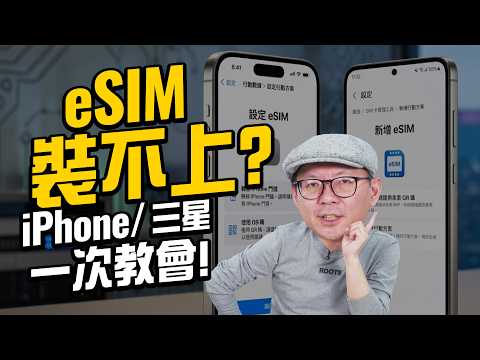
eSIM裝不上怎麼辦?iPhone、三星S26完整設定教學+常見問題一次解決 thumbnail

eSIM裝不上怎麼辦?iPhone、三星S26完整設定教學+常見問題一次解決

8 days agoActive window
3ctim3ctim哥生活的日常3c達人3c達人tim哥tim哥esim iphone s26
Published time
May 29, 2026 at 06:00 PM
Duration
11:33
Video type
Science & Technology
Channel region
Taiwan
Publish Timing Insight
Not enough timing data
This channel still lacks enough historical upload timing data. Let the channel accumulate more snapshots before evaluating the best timing.
Monetization Insight
No clear monetization tags yet
Focus on view growth, engagement quality, and topic competition to judge monetization potential.
Action Suggestion
Watch for sustained growth
The basic conditions are already in place. Keep watching 7-day views and revenue before deciding whether this topic should become a series.
Views
113.6K
Likes
1.2K
Comments
11
Estimated Daily Revenue
$4.86 - $28.37
Estimated Total Revenue
$74.99 - $437.43
RPM Range
$0.66 - $3.85
1D Views Gain
0
7D Views Gain
0
1D Likes Gain
0
7D Likes Gain
0
1D Comments Gain
0
7D Comments Gain
0
Velocity Score
0%
Topic Cluster
3ctim
Video Description
之前搭飛機的時候遇到有粉絲說不會安裝esim或者有遇到重複啟用、連線不上的問題!直接手把手教你們安裝!不只iPhone還有三星 Galaxy S26的操作方式通通教給你 出國上網首選威訊eSIM! 24小時真人客服加上備援eSIM讓你安心出國🙋‍♂️ 下單用專屬折扣碼【 3CTIM9 】享全館9折 這裡逛👉https://waysim.net/ 常見問題一: 問: 為什麼我掃描 eSIM 的 QR code 時會顯示啟用失敗?可以多掃幾次嗎? 答: 每一組 eSIM 通常只能掃描啟用一次,一旦掃描後該序號就會與手機鎖定。若第一次掃描沒反應或跳出錯誤,請先到手機「設定」中的「行動服務」確認是否已新增該方案。有時顯示「失敗」是因為尚未抵達當地、沒有訊號,建議先關閉該方案,等抵達目的地後再開啟即可,千萬不要重複掃描以免被系統鎖定。 常見問題二: 問: 使用 eSIM 上網時,若臨時要收銀行或 App 的簡訊驗證碼,需要把原本的實體 SIM 卡拔出來嗎? 答: 不需要拔卡。請到「設定」-「行動服務」短暫開啟台灣原有的門號(設為主要線路),並建議開啟「Wi-Fi 通話」功能。確認右上方出現訊號後即可接收驗證碼。收完簡訊後,請務必記得關閉台灣門號的數據漫遊或直接關閉該線路,以避免產生高額漫遊費用。 常見問題三: 問: 之前出國留下的舊方案太多,常搞不清楚哪一個才是現有的方案,該怎麼管理? 答: 建議養成兩個好習慣:第一是「自訂標籤」,在設定時將方案名稱改為「日本5月」等容易辨識的名稱;第二是「用完即刪」,回國後就將過期的 eSIM 刪除。此外,出國時關閉暫時不用的實體卡或舊方案,讓手機只處理一張卡的訊號,也能有效減少電量消耗。 00:00 影片開始與iOS26介面更新說明 00:37 iPhone 啟用 eSIM 方法 1:長按信件 QR Code 01:13 iPhone 啟用 eSIM 方法 2:儲存照片後從相簿長按 01:33 iPhone 啟用 eSIM 方法 3:手動輸入啟用碼 02:31 三星 S26 (Android) eSIM 實際設定流程 03:07 Android 手動輸入設定方式 (與 iPhone 不同之處) 04:04 常見問題 1:重複掃描顯示失敗怎麼辦? 05:19 常見問題 2:出國多次如何避免搞混 eSIM 名稱? 06:41 如何正確刪除已失效的 eSIM? 06:55 常見問題 3:出國使用eSIM臨時要收驗證碼怎麼辦? 08:01 常見問題 4:出國使用eSIM最省電的設定技巧 09:05 威訊全新「備援eSIM」功能介紹:緊急流量解決連線異常 10:08 威訊服務特色總結與使用心得分享 #出國網路 #esim #esim教學 3cTim x OLi嚴選商城⬇︎ https://www.3ctim.com 加入我的Line@生活圈⬇︎ @3ctim 訂閱3cTim哥副頻道⬇︎ http://bit.ly/36gDKs7 加入頻道會員⬇︎ http://bit.ly/2LoUuox 追蹤3cTim哥即時動態⬇︎ instagram☛http://bit.ly/2HCZ52j facebook☛http://bit.ly/2JyOGGK 圖片內容截取自Google搜尋網站 音樂與音效取自Youtube及Youtube音樂庫
Related Topics
Continue with closely related videos to judge topic depth and content format.
Topic: 3ctim
Not enough related-topic video data yet.
Video FAQs

These FAQs clarify what this video page measures, why revenue is estimated, and how to use the page for content research.

What can you learn from this video analytics page?

This page shows views, likes, comments, RPM and revenue estimates, publish timing, topic tags, related videos, and the broader channel context behind the video.


Why are RPM and revenue numbers estimates?

Actual earnings depend on monetized playbacks, audience geography, seasonality, advertiser demand, and monetization status. CloutOrbit provides directional estimates for benchmarking, not exact payouts.

How should you use this page for content research?

Compare timing, topic tags, monetization signals, and adjacent videos from the same channel to spot formats, themes, and publishing patterns worth testing.