Kevin Stratvert banner
Kevin Stratvert avatar
Kevin Stratvert
@kevinstratvert
Subscribers4.3M
Views668.1M
Videos1.3K
Kevin StratvertPublished at April 7, 2026 at 03:00 PM4:56
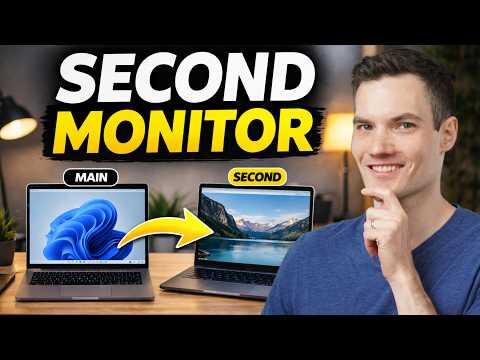
How to Use Laptop as Second Monitor for PC thumbnail

How to Use Laptop as Second Monitor for PC

2 months agoLong-tail
kevin stratvertuse laptop as second monitorlaptop as second screen windowssecond monitor windows 11how to use laptop as monitortutorial
Published time
April 7, 2026 at 03:00 PM
Duration
4:56
Video type
Science & Technology
Channel region
United States
Publish Timing Insight
Not enough timing data
This channel still lacks enough historical upload timing data. Let the channel accumulate more snapshots before evaluating the best timing.
Monetization Insight
High RPM
This video sits in a relatively high RPM range, suggesting a more monetization-friendly topic.
Action Suggestion
Watch for sustained growth
The basic conditions are already in place. Keep watching 7-day views and revenue before deciding whether this topic should become a series.
Views
71.9K
Likes
2.3K
Comments
77
Estimated Daily Revenue
-
Estimated Total Revenue
$69.03 - $402.69
RPM Range
$0.96 - $5.6
1D Views Gain
0
7D Views Gain
0
1D Likes Gain
0
7D Likes Gain
0
1D Comments Gain
0
7D Comments Gain
0
Velocity Score
0%
Topic Cluster
kevin stratvert
Video Description
Want a second monitor without buying extra hardware? In this video, I’ll show you how to turn your laptop into a second screen using built-in Windows features — no software required. You’ll also learn an alternative method that works on almost any setup, including tablets and different devices, using a free tool. By the end, you’ll know how to: - Extend your display across two laptops - Duplicate or extend your screen - Adjust monitor positioning for a seamless workflow - Fix compatibility issues with an alternative method - Improve performance with wired connections This is perfect if you want more screen space for multitasking, productivity, or working on multiple apps at once. Host: Kevin Stratvert ? RESOURCES - Windows + I to open Windows settings - Windows + K to open cast settings ⌚ TIMESTAMPS 00:00 - Introduction 00:16 - Set up laptop as second monitor using Windows 01:41 - Extend vs duplicate screen 02:11 - Arrange displays 03:02 - Alternative method (spacedesk) 04:36 - Improve performance ? RELATED VIDEOS - Playlist with all my videos on Windows: https://www.youtube.com/playlist?list=PLlKpQrBME6xJJOa5N8PEZgcxzfUas6tT8 ? NEWSLETTER - Get the latest high-quality tutorial and tips and tricks videos emailed to your inbox each week: https://newsletter.kevinstratvert.com ? CONNECT WITH ME - Official website: http://www.kevinstratvert.com - LinkedIn: https://www.linkedin.com/in/kevinstratvert/ - Discord: https://bit.ly/KevinStratvertDiscord - Twitter: https://twitter.com/kevstrat - Facebook: https://www.facebook.com/Kevin-Stratvert-101912218227818 - TikTok: https://www.tiktok.com/@kevinstratvert - Instagram: https://www.instagram.com/kevinstratvert/ ? PARTNERS & DISCOUNTED OFFERS ? Hostinger | https://hostinger.kevinstratvert.com ? Notion | https://notion.kevinstratvert.com ? Quickbooks Online | https://qbo.kevinstratvert.com ?️ Voicemod AI Voice Changer | https://voicemod.kevinstratvert.com ?️ VidIQ | http://vidiq.kevinstratvert.com ? MY COURSES - Go from Excel novice to data analysis ninja in just 2 hours: https://kevinstratvert.thinkific.com/ ? REQUEST VIDEOS https://forms.gle/BDrTNUoxheEoMLGt5 ? SUBSCRIBE ON YOUTUBE https://www.youtube.com/user/kevlers?sub_confirmation=1 ? SUPPORT THE CHANNEL - Hit the THANKS button in any video! - Amazon affiliate link: https://amzn.to/3kCP2yz ⚖ DISCLOSURE Some links are affiliate links. Purchasing through these links gives me a small commission to support videos on this channel. The price to you is the same. #stratvert #windows #spacedesk
Related Topics
Continue with closely related videos to judge topic depth and content format.
Topic: kevin stratvert
Not enough related-topic video data yet.
Video FAQs

These FAQs clarify what this video page measures, why revenue is estimated, and how to use the page for content research.

What can you learn from this video analytics page?

This page shows views, likes, comments, RPM and revenue estimates, publish timing, topic tags, related videos, and the broader channel context behind the video.


Why are RPM and revenue numbers estimates?

Actual earnings depend on monetized playbacks, audience geography, seasonality, advertiser demand, and monetization status. CloutOrbit provides directional estimates for benchmarking, not exact payouts.

How should you use this page for content research?

Compare timing, topic tags, monetization signals, and adjacent videos from the same channel to spot formats, themes, and publishing patterns worth testing.