STEVEN banner
STEVEN avatar
STEVEN
@stevenlathoud
Subscribers1.1M
Views198.6M
Videos1.5K
STEVENPublished at September 30, 2024 at 12:15 AM17:55
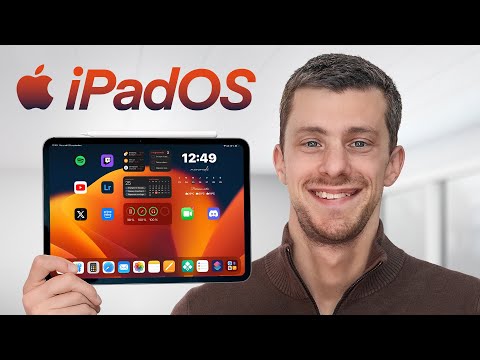
18 Astuces pour mieux utiliser votre iPad ! thumbnail

18 Astuces pour mieux utiliser votre iPad !

last yearLong-tail
astucespourmieuxutiliservotreastuces pour mieux
Published time
September 30, 2024 at 12:15 AM
Duration
17:55
Video type
Science & Technology
Channel region
France
Publish Timing Insight
Not enough timing data
This channel still lacks enough historical upload timing data. Let the channel accumulate more snapshots before evaluating the best timing.
Monetization Insight
High RPM
This video sits in a relatively high RPM range, suggesting a more monetization-friendly topic.
Action Suggestion
Watch for sustained growth
The basic conditions are already in place. Keep watching 7-day views and revenue before deciding whether this topic should become a series.
Views
246.1K
Likes
5.7K
Comments
242
Estimated Daily Revenue
-
Estimated Total Revenue
$199.32 - $1.2K
RPM Range
$0.81 - $4.73
1D Views Gain
0
7D Views Gain
0
1D Likes Gain
0
7D Likes Gain
0
1D Comments Gain
0
7D Comments Gain
0
Velocity Score
0%
Topic Cluster
astuces
Video Description
Voici quelques petites astuces et nouveautés d'iPadOS 18 pour qui peuvent vous servir sur iPad ! 👉 Découvrir les chargeurs et batteries UGREEN : https://bit.ly/3XuLRhc ⚡️ Batterie Externe UGREEN Nexode 20000mAh 130W : https://amzn.to/4daYFiC ⚡️ Batterie Externe UGREEN Nexode 25000mAh 200W : https://amzn.to/3B7lhDl  ⚡️ Batterie Externe UGREEN Nexode 12000mAh 100W : https://amzn.to/3zxswnl  * Une portion de la vidéo est sponsorisée par Ugreen * 🎨 Fonds d’écran : https://bit.ly/Wallpaper-splashpaint 🛒 Acheter un iPad : https://amzlink.to/az0Mul3saAl2y —— Timecode : 0:00 : Placer les icônes ou l’on veut 0:30 : Organisation différente selon l’orientation 0:54 : nouveau mode sombre sur les icônes 1:47 : Changer la couleur des icônes 2:27 : Cacher le nom des applications 2:59 : Mes fonds d’écran 3:09 : Batterie 4:26 : Nouvelle app Calculatrice 5:00 : Conversion avec la calculette 5:50 : Calculs de résultats automatiques 7:56 : Mathématiques simplifiées 10:24 : Surligneur dans Notes 10:39 : Smart Script en écrivant avec le Pencil 12:30 : Nouveau lecteur dans Safari 13:10 : Mode Thanos 13:46 : Formater un SDD depuis l’iPad 14:24 : Verrouiller et cacher des applications 15:34 : Nouveau Centre de contrôle 16:41 : Apple Intelligence MES RESEAUX SOCIAUX : ► Instagram: https://www.instagram.com/StevenLathoud/ ► Twitter: https://twitter.com/StevenLathoud ▬▬▬▬▬▬▬▬▬▬▬▬▬▬▬▬▬▬▬▬▬▬▬▬▬▬▬▬▬ #Apple #iPad #Astuces ➜ Tout mon matériel : https://kit.co/StevenLathoud/mon-materiel ➜ Les musiques que j'utilise : http://bit.ly/StevenMusicYT (2 mois gratuits) ============================= * Certains liens sont affiliés ce qui signifie que sans frais supplémentaires pour vous, j'obtiendrai une petite commission de la part du site marchand si vous cliquez dessus et effectuez un achat. Cela aide à ce que la totalité de mon contenu reste gratuit, merci ! =============================
Related Topics
Continue with closely related videos to judge topic depth and content format.
Topic: astuces
Not enough related-topic video data yet.
Video FAQs

These FAQs clarify what this video page measures, why revenue is estimated, and how to use the page for content research.

What can you learn from this video analytics page?

This page shows views, likes, comments, RPM and revenue estimates, publish timing, topic tags, related videos, and the broader channel context behind the video.

Why are RPM and revenue numbers estimates?

Actual earnings depend on monetized playbacks, audience geography, seasonality, advertiser demand, and monetization status. CloutOrbit provides directional estimates for benchmarking, not exact payouts.

How should you use this page for content research?

Compare timing, topic tags, monetization signals, and adjacent videos from the same channel to spot formats, themes, and publishing patterns worth testing.