Video Description
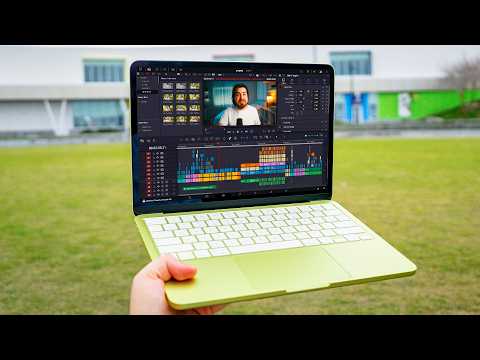
Apple's cheapest laptop is here, but can you actually rely on it for video editing? I pushed the new MacBook Neo to its absolute limits to find out if it's the ultimate budget creator laptop. ✨ Check out Gling AI here and get one extra credit for video editing ➡️ https://gling.ai/?via=think-media
⭐️ Our free YouTube growth class reveals 3 essential secrets we're using to get more views, subscribers, and income—watch here ➡️ http://ThinkMasterclass.com
This video is sponsored by @gling. Some product links are affiliate links which means if you buy something we'll receive a small commission.
=============================
All Products and Gear Mentioned in this video
=============================
✨ Check out Gling AI here and get one extra credit for video editing ➡️ https://gling.ai/?via=think-media
? Amazon Links ?
MacBook Neo laptop ➡️ https://geni.us/sBuXIJj
External Portable SSD ➡️ https://geni.us/GPHBj
Apple USB-C to SD Card adapter ➡️ https://geni.us/m81Qb
===========================
Connect with us!
=============================
Tik Tok: ➡︎ https://www.tiktok.com/@thinkmediaofficial/
IG: ➡︎ https://www.instagram.com/officialthinkmedia/
===========================
Subscribe and Listen to the Think Media Podcast HERE:?
===========================
➡︎YT: @ThinkMediaPodcast
➡︎Apple: https://apple.co/2F3tmIS
➡︎Spotify: https://spoti.fi/36qevE8
⏰ Timecodes ⏰
0:00 Can I edit a video on the MacBook Neo?
0:46 Editing a Short Clip for Social Media
2:49 Editing Longform YouTube Video
6:42 Export Time Comparison
7:05 My Experience with MacBook Neo
8:07 What I disliked about the MacBook Neo
10:07 Who is the MacBook Neo for?
12:08 Final Thoughts
===========================
Here are the ways to work with us here at Think Media:
===========================
⚡️FREE CLASS: Watch our FREE YouTube class here: ➡︎ http://ThinkMasterclass.com
⚡️BOOK: Check out the #1 best-selling book YouTube Secrets here: ➡︎ https://ytsecrets.com/
⚡️For Support inquires, or Business inquiries, please go to ➡︎ http://ThinkMediaSupport.com
⚡️Join our YouTube Course & Community TODAY with this special limited-time bundle at: http://joinvra.com
===========================
Connect with Sean Cannell on Social Media:
===========================
➡︎https://www.linkedin.com/in/seancannell/
➡︎https://twitter.com/seancannell
➡︎https://instagram.com/seancannell
===========================
What We Use For Music:
===========================
? Get a 7-day free trial for new personal and commercial plan here! ➡️ http://thinkmediasounds.com
===========================
In-Depth Channel Analytics and Ideas
===========================
Get a 30-Day trial of vidIQ's Boost plan for just $1 here: ? http://vidiq.com/think
===========================
#thinkmedia #seancannell #youtubetips
Everyone is raving about the value and specs of the new MacBook Neo, but I wanted to see how it actually performs in the real world. In this video, I try to edit a full YouTube video from start to finish on Apple's most affordable laptop. From cutting 4K footage and auto-generating captions for shorts, to stacking heavy timelines with text, graphics, and Fusion magic masks in DaVinci Resolve—I test it all. We break down the real-world export times, the pros and cons (like those limited ports and screen glare), and rate exactly who this laptop is actually built for.
Our mission here at Think Media is to help purpose-driven entrepreneurs go full-time doing what they love and making an impact through the power of video.
Disclaimer: Please see the link for our disclaimer policy for all of our videos on the Think Media and Think Media Podcast YouTube channels. https://go.thinkmedia.com/youtube-disclaimer