Make Anything banner
Make Anything avatar
Make Anything
@make.anything
Subscribers792K
Views227.3M
Videos463
Make AnythingPublished at January 14, 2025 at 11:00 PM7:38
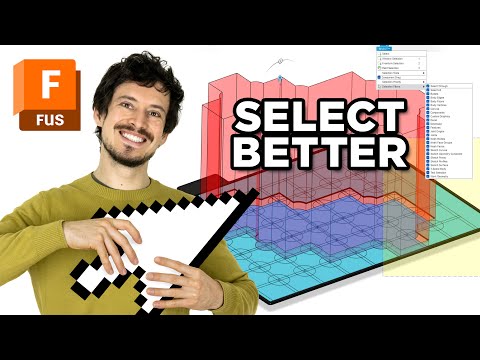
Selection Tool Tips in Autodesk Fusion // CAD Tutorial thumbnail

Selection Tool Tips in Autodesk Fusion // CAD Tutorial

last yearLong-tail
3D printed3d printing3D print3d printermake anythingtutorial
Published time
January 14, 2025 at 11:00 PM
Duration
7:38
Video type
Science & Technology
Channel region
Sweden
Publish Timing Insight
Not enough timing data
This channel still lacks enough historical upload timing data. Let the channel accumulate more snapshots before evaluating the best timing.
Monetization Insight
High RPM
This video sits in a relatively high RPM range, suggesting a more monetization-friendly topic.
Action Suggestion
Watch for sustained growth
The basic conditions are already in place. Keep watching 7-day views and revenue before deciding whether this topic should become a series.
Views
8.4K
Likes
658
Comments
46
Estimated Daily Revenue
-
Estimated Total Revenue
$6.8 - $39.71
RPM Range
$0.81 - $4.73
1D Views Gain
0
7D Views Gain
0
1D Likes Gain
0
7D Likes Gain
0
1D Comments Gain
0
7D Comments Gain
0
Velocity Score
0%
Topic Cluster
3D printed
Video Description
Here are some handy tricks for making light work of complicated selections in Autodesk Fusion. Save time so you can make MORE! #AutodeskAd Autodesk provides me with access to Fusion in exchange for content like this. You can snag Fusion using the link below to support this channel at no additional cost to you: ➠ Autodesk Fusion: https://www.jdoqocy.com/click-101229766-15204138 * *Some of these links are connected to affiliate programs that give me a small commission on each sale at no additional cost to you. Thank you for supporting Make Anything! ➠ Join Team Make Anything on Patreon : https://patreon.com/makeanything ➠ Join the Make Anything Discord server : https://discord.gg/GVWnpUd ➠ My 3D Printing files on Thangs : https://bit.ly/maThangs CHAPTERS: 0:00 Intro 1:27 Selecting within Sketches 4:21 Selecting Tiny Edges 6:19 Conclusion
Related Topics
Continue with closely related videos to judge topic depth and content format.
Topic: 3D printed
Not enough related-topic video data yet.
Video FAQs

These FAQs clarify what this video page measures, why revenue is estimated, and how to use the page for content research.

What can you learn from this video analytics page?

This page shows views, likes, comments, RPM and revenue estimates, publish timing, topic tags, related videos, and the broader channel context behind the video.


Why are RPM and revenue numbers estimates?

Actual earnings depend on monetized playbacks, audience geography, seasonality, advertiser demand, and monetization status. CloutOrbit provides directional estimates for benchmarking, not exact payouts.

How should you use this page for content research?

Compare timing, topic tags, monetization signals, and adjacent videos from the same channel to spot formats, themes, and publishing patterns worth testing.