InShot Video Editor banner
InShot Video Editor avatar
InShot Video Editor
@inshotapp
订阅数287万
总播放8190.8万
视频数775
InShot Video Editor发布于 2026年4月7日 17:003:28
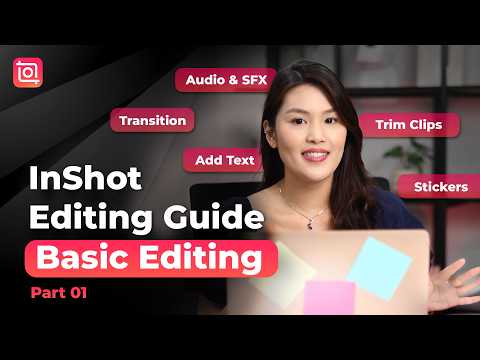
InShot Editing Guide Part.01 🎬 Basic Editing for Beginners | InShot Video Editing Tutorial thumbnail

InShot Editing Guide Part.01 🎬 Basic Editing for Beginners | InShot Video Editing Tutorial

2个月前长尾期
inshotinshot tutorialvideo editingediting tutorialbest video editortutorial
发布时间
2026年4月7日 17:00
视频时长
3:28
视频类型
教程风格
频道地区
新加坡
发布时间判断
发布时间判断数据不足
当前频道还缺少完整的历史发布时间模式,建议继续累积频道数据后再观察最佳时段命中情况。
商业化判断
高 RPM
当前视频具备较高 RPM 区间,说明主题更接近商业化友好的广告库存,适合复盘标题、受众和内容长度。
动作建议
优先观察持续增长能力
当前视频基础条件较完整,建议继续观察近7日播放和收入是否稳定抬升,再决定是否扩写成系列内容。
播放量
3.3万
点赞数
934
评论数
100
日预估收入
-
累计预估收入
$23.61 - $137.73
RPM 区间
$0.72 - $4.2
1日涨播放
0
7日涨播放
0
1日涨点赞
0
7日涨点赞
0
1日涨评论
0
7日涨评论
0
速度分
0%
主题聚类
inshot
视频说明
📲Get InShot latest version on iOS & Android: 👉https://inshotshare.app/download Start editing like a pro with InShot 🎬 This beginner-friendly tutorial covers trimming clips, transitions, text, stickers, and audio — everything you need to create clean and engaging videos. Stay tuned for more tutorials! 0:00 Intro 0:18 Import & Canvas 0:33 Cut & Trim Clips 0:54 Add Transitions 1:16 Add Text & Stickers 1:50 Add Audio 2:26 Adjust Color 3:04 Video Export Settings 3:15 Outro 👍Like, share, and subscribe to InShot on our socials❤️ TikTok: https://www.tiktok.com/@inshotapp.official X: https://x.com/InShot_App Pinterest: https://www.pinterest.com/InShotOfficial/_created/ Official Website: https://inshot.com #videoediting #inshot #contentcreation #reelstips #videotutorial #inshotediting

同主题推荐
围绕当前主题继续看高相关视频,帮助判断选题空间和内容形态。
主题:inshot
暂无足够的同主题视频数据。
视频常见问题

以下问题重点解释这条视频能看什么、收益为何是估算值,以及如何把它用于内容研究与竞品分析。

这个视频页能看出什么?

你可以查看播放、点赞、评论、RPM 与收益估算、发布时间、主题标签、相关视频以及所属频道背景,用来判断内容表现和后续选题方向。

为什么 RPM 和收益只是估算值?

实际收入会受到广告填充率、受众地区、季节性、广告主需求与是否开启变现等因素影响,因此页面给出的数字更适合做趋势判断和横向比较。

怎么用这个视频页做内容研究?

建议结合发布时间、主题标签、相关视频与频道历史内容,观察什么题材、节奏和发布窗口更容易拿到播放与商业化表现。