视频说明
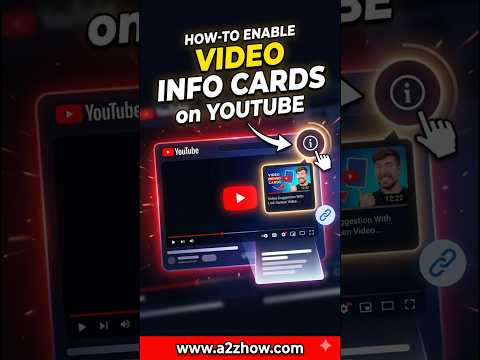
To enable and add video info cards on YouTube, sign in to YouTube Studio, select Content from the left menu, and click on the specific video you want to edit. Inside the video details page, select the Editor tab on the left and click the Info Cards option. You can then choose to add a link to a video, playlist, channel, or external website. Position the card at the desired timestamp on the timeline and click Save to make the "i" icon appear in the top-right corner of your video.
The setup process follows a structured instructional flow designed for maximum engagement. After entering the YouTube Studio Editor, identifying the Info Cards element is the primary step. You are allowed to add up to five cards per video. Once an element is selected, you must provide a teaser text and an optional custom message that appears when a viewer clicks the icon. For mobile users, these cards appear whenever the player controls are visible, while desktop viewers see them when hovering over the video player. This feature is essential for cross-promoting your own content and keeping your audience engaged for longer sessions.
Many creators ask how can I enable the info card icon if it is missing or how to turn on cards in the YouTube app. If you have added cards but they are not showing, check your video's "Made for Kids" status, as info cards are automatically disabled on content intended for children. Additionally, if you are a viewer wondering how to see info cards on other people's videos, you may need to go to your personal YouTube account settings, select Playback and Performance, and ensure the "Show in-video info cards" box is checked. This ensures the interactive elements are visible across all the content you watch.
This channel provides high-authority digital strategy and YouTube growth tutorials to help creators master the latest platform tools. We specialize in simplified technical walkthroughs that focus on clarity and actionable results. By enabling interactive info cards, you are building a professional content infrastructure that encourages discovery and improves your channel's overall retention metrics. Our verified guides ensure you stay ahead of platform updates and algorithm changes.
Do you find that info cards or end screens work better for getting viewers to watch your next video? Let us know which one has a higher click-through rate for your channel in the comments. If you are looking for more ways to optimize your uploads, check out our guide on YouTube SEO for beginners. Please consider subscribing for more direct and effective creator solutions.
#enableinfocards #youtubestudio #infocardstutorial #youtubegrowth