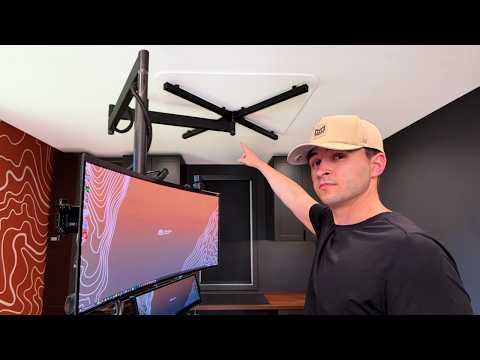
I’m building my dream workspace. Subscribe to see what I build for it next.
Thanks to Lofree for supporting this build.
Lofree Hyzen: https://cutt.ly/TtGskkuH
Lofree Flow 2: https://cutt.ly/3tGsgoWm
Viewer Workspace Survey
https://tally.so/r/obK9E5
Support the channel, get behind-the-scenes access, and more:
https://patreon.com/domicile_studios
Chapters
00:00 Intro
00:50 Can my ceiling actually hold this?
02:02 Building the part that carries the weight
04:07 The part that everything depends on
05:12 Installing the base into the ceiling
07:41 The hidden tech challenge
10:45 How do you move a monitor across a room?
13:37 Making it so that we can move around the room
20:20 Turning the room into a real setup
23:06 The movement I still hadn’t solved
26:39 Building a way to move up and down
27:33 Hanging the monitor for the first time
29:47 How do you connect a computer 40 feet away?
32:06 A simple fix that saved the setup
33:48 The keyboard problem
34:54 The final floating monitor setup
Some tech shown in this video (not affiliate links):
Monitor: MSI MPG 341CQPX QD-OLED Monitor [https://bit.ly/MSI-MPG-341CQPX]
Small monitor: Xeneon Edge [https://bit.ly/xeneon-edge]
Keyboard: Lofree Hyzen
Secondary Keyboard: Lofree Flow 2
Processor: i5 10600KF
Graphics Card: NVIDIA GeForce RTX 3070 Ti
Software I Used to Create This Video:
Photo editing: Affinity / Canva
Animation: Blender
Video editing: DaVinci Resolve
Technical Drawings: Fusion 360
Software Development: VS Code
AFK Game of Choice: Old School RuneScape
Business inquiries:
[email protected]
---
Follow for updates on Instagram - www.instagram.com/domiciletv/