Kevin Stratvert banner
Kevin Stratvert avatar
Kevin Stratvert
@kevinstratvert
訂閱數425萬
總播放6.7億
影片數1287
Kevin Stratvert發布於 2026年4月18日 下午09:230:29
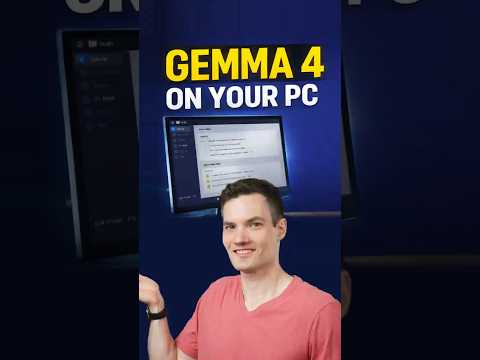
How to Run Google Gemma 4 on Your PC (Free) thumbnail

How to Run Google Gemma 4 on Your PC (Free)

上個月長尾期
kevin stratvertshorts
發布時間
2026年4月18日 下午09:23
影片時長
0:29
影片類型
科學科技
頻道地區
美國
發布時間判斷
發布時間判斷資料不足
當前頻道仍缺少完整的歷史發布時間模式,建議繼續累積頻道資料後再觀察最佳時段命中情況。
商業化判斷
暫無明確商業化標籤
當前影片更適合從播放增速、互動品質和同主題競爭情況來判斷後續變現空間。
動作建議
優先觀察持續成長能力
當前影片基礎條件較完整,建議繼續觀察近7日播放和收入是否穩定抬升,再決定是否擴寫成系列內容。
播放量
4.8萬
按讚數
654
留言數
10
日預估收入
$0 - $0
累計預估收入
$1.53 - $6.14
RPM 區間
$0.03 - $0.13
1日漲播放
0
7日漲播放
0
1日漲按讚
0
7日漲按讚
0
1日漲留言
0
7日漲留言
0
速度分
0%
主題聚類
kevin stratvert
影片說明
Want to run powerful AI directly on your own computer for free? In this video, I’ll show you exactly how to set up Google’s Gemma 4 on your PC step by step using LM Studio. With just a few clicks, you can install the model, run it locally, and start using it for real tasks like summarizing notes, extracting action items, and more. The best part? Everything runs on your machine, so your data stays private and you don’t need any subscriptions. If you’ve ever wanted to use AI offline or avoid paying for tools like ChatGPT, this is one of the easiest ways to get started.
同主題推薦
圍繞當前主題繼續看高相關影片,幫助判斷選題空間和內容形態。
主題:kevin stratvert
暫無足夠的同主題影片資料。
影片常見問題

以下問題聚焦這支影片能提供哪些洞察、收益為何是估算值,以及如何用它做內容研究。

這個影片頁能看出什麼?

你可以查看觀看、按讚、留言、RPM 與收益估算、發布時間、主題標籤、相關影片以及所屬頻道背景,用來判斷內容表現與後續選題方向。

為什麼 RPM 和收益只是估算值?

實際收入會受到廣告填充率、受眾地區、季節性、廣告需求與是否開啟營利等因素影響,因此這些數字更適合拿來看趨勢與做橫向比較。

怎麼用這個影片頁做內容研究?

建議搭配發布時間、主題標籤、相關影片與頻道歷史內容,觀察哪些題材、節奏與發布時段更容易帶來觀看與商業化表現。